Event Loops: a best-practice playbook to boost registrations and pipeline
A guide for Directors of Events and Field Marketing: run every event as one connected Loop of Plays, fill the room with the people you actually want there, and turn the event into tangible pipeline you can report.
To boost event registrations, run the event as an Event Loop: connected Plays that share one event, each with its own audience and goal. Invite fewer, better-fit people with an email plus a printed invitation that lands about five days out, send each one to a personal page showing which peers are coming, remind registrants instead of re-inviting them, and follow up within a day. Judge the Loop on the pipeline its attendees create, not on registrations.
Most event teams don't have a registration problem. They have a guest list problem: the invite goes to everyone, lands next to five other invitations that week, and the people who register aren't the accounts the event was for. This playbook is for Directors of Events and Field Marketing who want the right people in the room, and want to show the pipeline it created afterwards.
What is an Event Loop?
In DelightLoop, a Play is one sequence with its own audience, nudges, personal page and goal. A Loop chains Plays together. An Event Loop connects the Plays around one event: invite, remind, the day itself, and follow up. The event's date, venue and agenda are written once, and every page and message reads them.
Each person has one status that moves forward as they act: invited, registered, checked in, meeting booked. When someone registers, they leave the invitation Play and enter the reminder Play the same minute, so nobody gets invited to an event they already said yes to.
The shape changes with the format. A trade-show booth runs register, remind, a booth draw, then meetings. A field dinner runs invite, confirm seats, remind, then thank and follow up. A webinar runs register, remind, then the recording for no-shows and meetings for attendees.
Why registrations stall
- The list is too broad. Inviting everyone who might come buries the invitations to the people who matter.
- The invitation looks like every other invitation. An email with a banner and a register button is one of many that week.
- The page asks too much. A long form on a generic event page loses people who were ready to say yes.
- Registrants go quiet until the day. ON24 reports that 57% of B2B webinar registrants attend live or on demand, and Pheedloop puts the median no-show rate for free in-person events at about 28%.
1. Pick the room before you write the invite
Start from who you want in the room, then work back. Build a lookalike audience of your best past attendees, the people who showed up, stayed and became pipeline, and add the target accounts your sales team needs there. A smaller, better list lets you spend more on each invitation.
Write down the event's goal before anything goes out, starting from pipeline: how many meetings, and how much pipeline, you expect the room to create. Each Play gets its own goal (registrations, check-ins, booth visits, meetings), and the Loop's goal is the pipeline you'll report.
2. Pair the email with a printed invitation
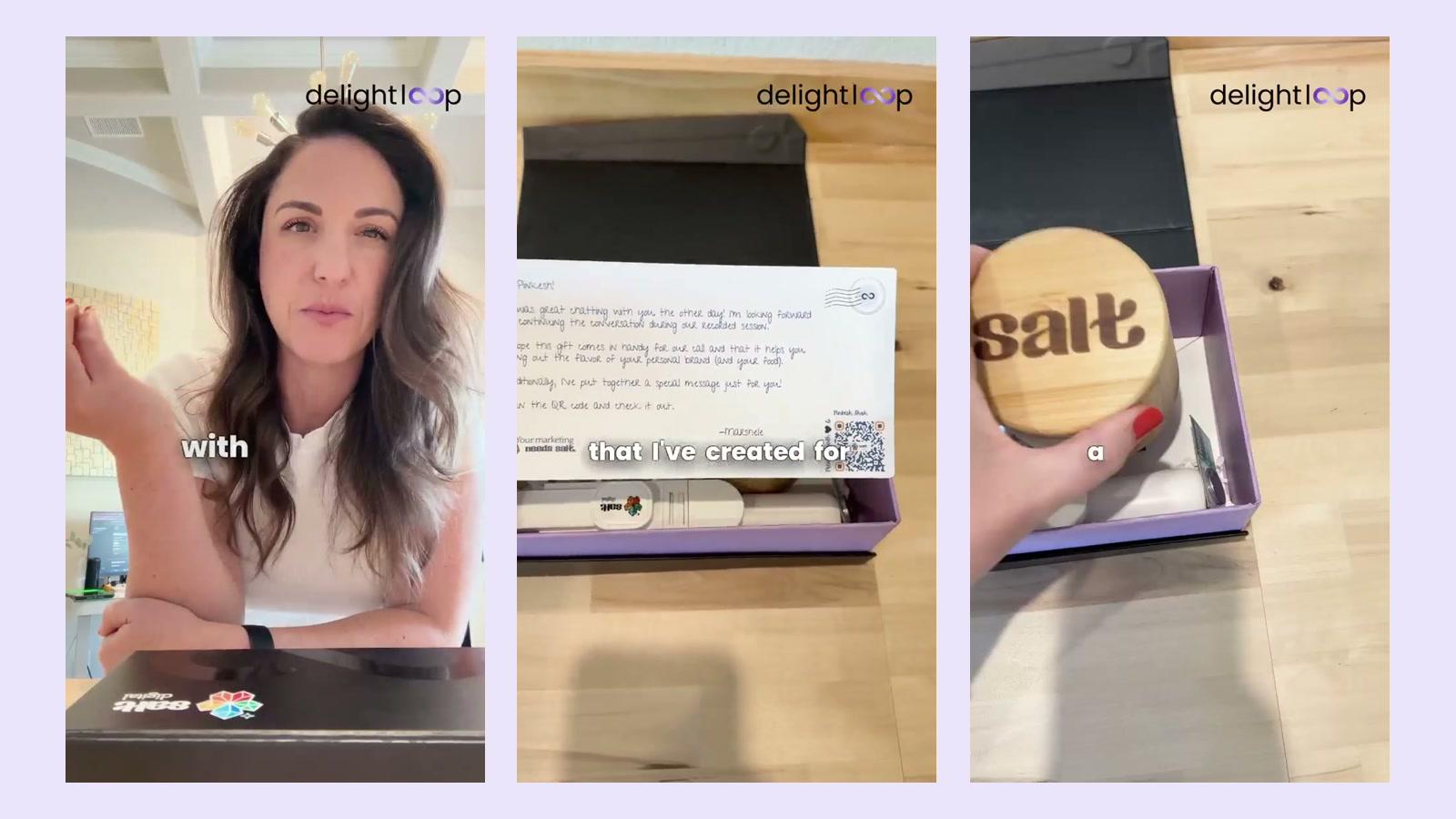
Send the email invite first, then have the same invitation arrive on paper about five days out, signed by your team. The letter is what makes the email memorable: it says you chose this person, not a list. Product Leaders Forum saw the biggest lift when the two went together.
The whole Loop fits in 12 days, from the first invite ten days out to meetings booked two days after the event. A short window keeps the event top of mind and gives sales a conversation while the room is still fresh.
“We got a big boost in our registrations when we combined email with letter. DelightLoop helped integrate both in one place.”
- T-10InviteEmail invite with a link to their personal page; letter goes to print
- T-8InviteLinkedIn note from the host or speaker
- T-5InvitePrinted invitation lands, signed by your team
- T-3InviteLast email to people who haven't answered
- T-1RemindReminder to registrants: letter landed, email today
- DayDay ofMorning LinkedIn reminder; booth gift page or seat card
- T+1Follow upRecap page and a rep follow-up; recording for no-shows
- T+2Follow upMeetings booked; the pipeline count begins
3. Send every invitee to a page made for them
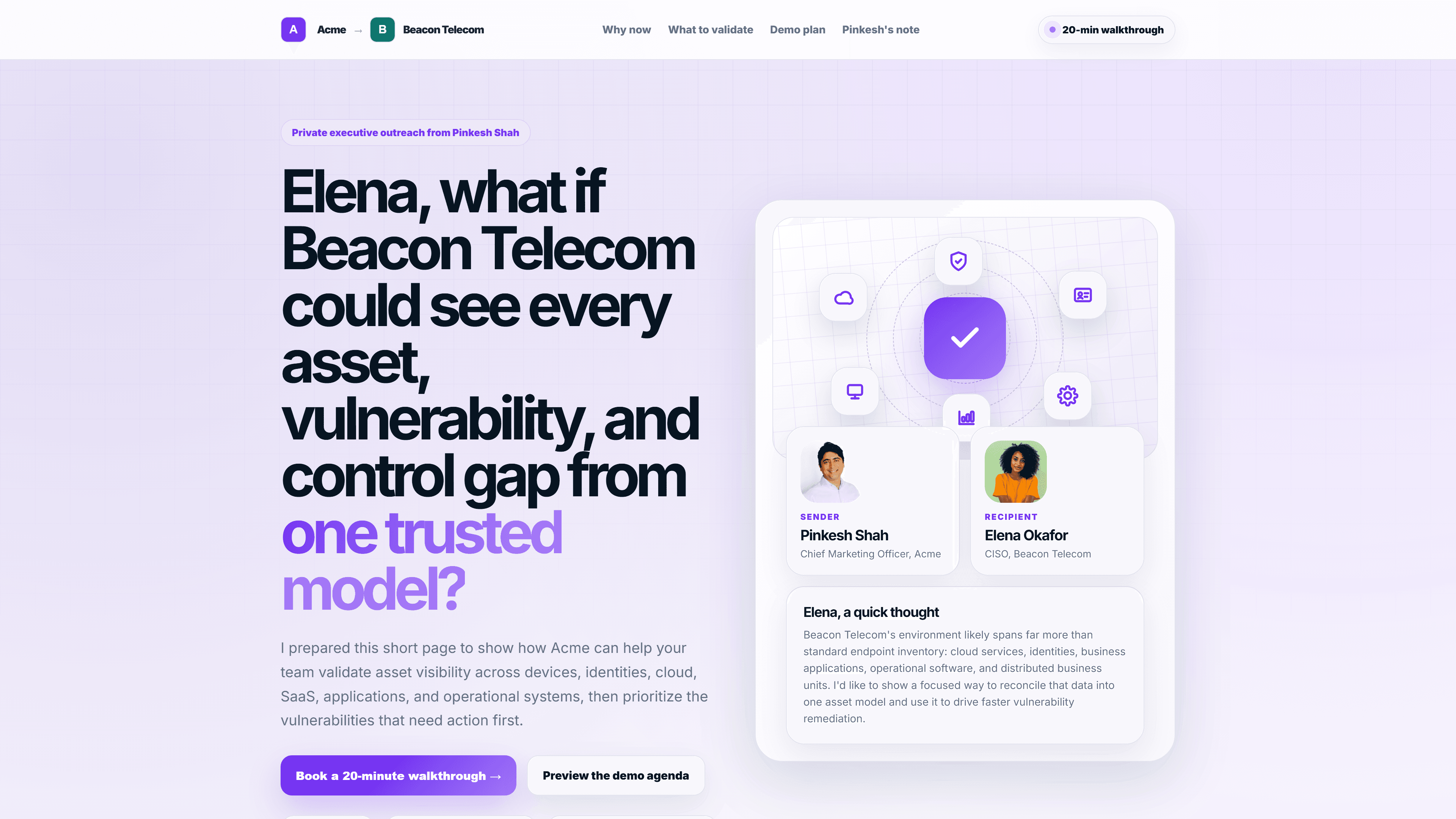
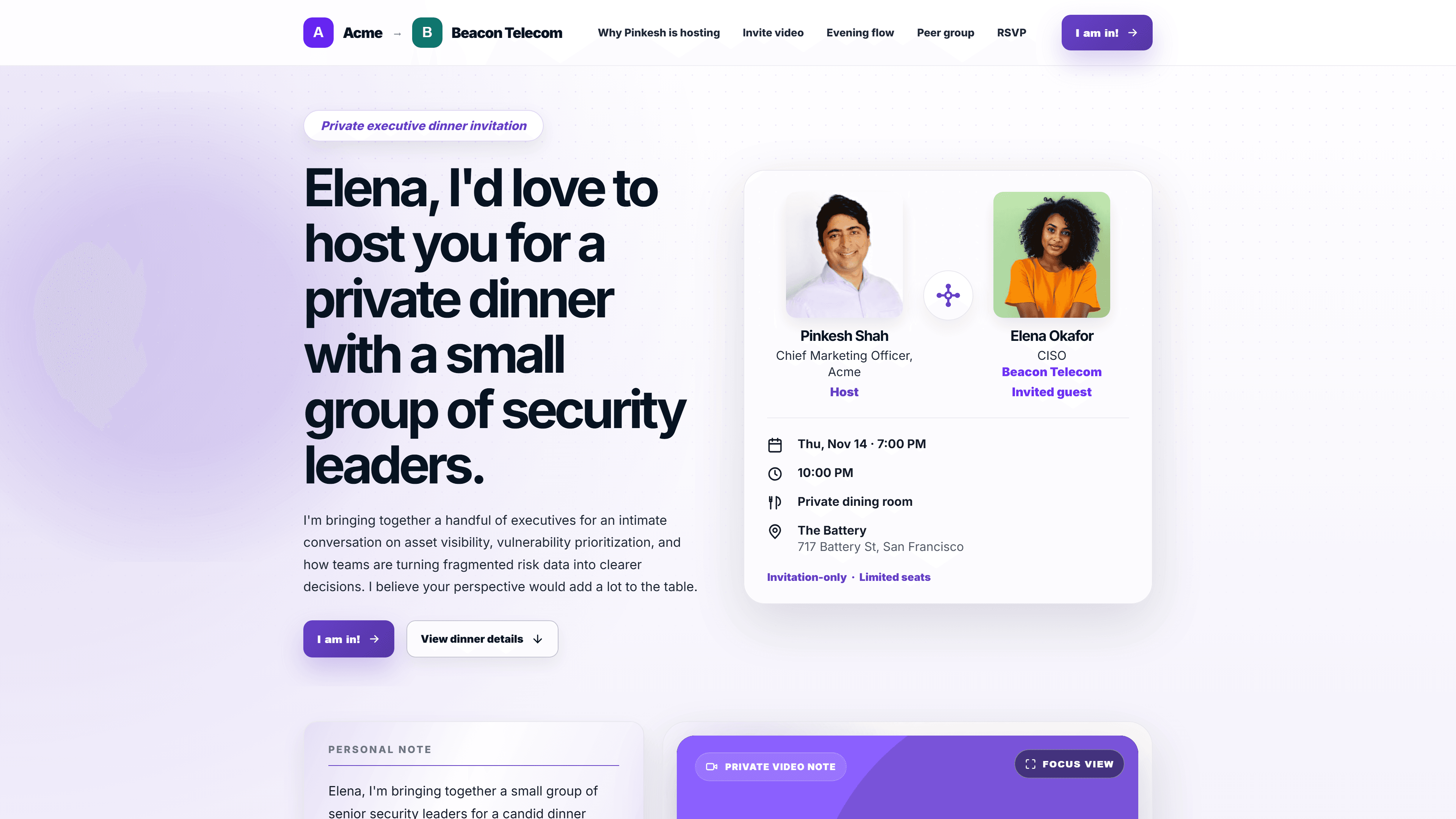
Every invitation, on email and on paper through a QR code, should open a page made for that person: their name, the agenda, the speakers, and which of their peers are already coming. One button confirms the seat. Social proof does more work than any line of copy, and registering on the page means you see each yes the moment it happens.
4. Remind registrants, don't re-invite them
Registration is the start of the next Play, not the end of the first. Registrants get a reminder sequence built around showing up: a letter that lands a few days before, an email the day before, and a LinkedIn note the morning of. People who walk up on the day skip the reminders.
Give the reminder Play its own goal, such as checking in 70% of registrants, so you can see where attendance is slipping before the day, not after.
5. Make the day itself worth showing up for
Tell people what's waiting for them. At a booth, invitees pick their gift on their own page before or at the show, and it's delivered to their home afterwards, so nothing gets left in a hotel room. At a dinner, the invitation says a seat is set for them. Reserve the best gifts for the accounts your reps most want to meet.
6. Follow up within a day
Every attendee gets a recap page and a follow-up from the rep who owns the account while the conversation is still fresh. No-shows get the recording or a reason to meet anyway. Each Moment of Delight, such as a scan, a page visit or a gift claimed, alerts the account owner, so the follow-up never waits for a spreadsheet.
7. Tie every attendee to pipeline
An event only earns its budget back when sales can see what it created. Every Moment of Delight, from the invitation scan to the meeting booked, is written back to the person's contact and deal in HubSpot, Salesforce or Attio, so an opportunity opened by an attendee carries the event with it.
- Count each person once, whichever Play brought them to the meeting.
- Report pipeline created (new opportunities opened by attendees) and pipeline influenced (open deals whose stakeholders came).
- Look again at 30, 60 and 90 days. Event pipeline keeps arriving after the recap.
- Set it against the Loop's cost, so next year's budget starts from pipeline per dollar, not cost per registration.
Proof: Product Leaders Forum
Product Leaders Forum built a lookalike audience from its LinkedIn ICP and sent 3,500 personal invitations by email and printed letter. Each invitation opened a page showing who else was attending.
Read the full Product Leaders Forum story.
What to measure
- Pipeline created and influenced by attendees at 30, 60 and 90 days, from your CRM. This is the Loop's headline number.
- Registrations from the people you invited, split by target account and lookalike.
- Show rate: registrants who checked in or watched.
- Booth visits or seats filled by the people you wanted there.
- Meetings booked by two days after the event, counted once per person.
- Cost per attendee from your target accounts, and pipeline per dollar spent.
Checklist for your next event
- Pipeline goal written down: the meetings and pipeline the Loop will be judged on.
- Guest list built from your best past attendees and the accounts sales needs.
- A 12-day run: email invite at T-10, LinkedIn at T-8, printed invitation landing at T-5, last email at T-3, meetings booked by T+2.
- A personal page for every invitee, with peers attending and one button to confirm.
- Registrants moved to a reminder Play the moment they say yes.
- A reason to show up on the day: a gift they choose, a seat with their name.
- Recap page and rep follow-up within a day; recording for no-shows.
- Pipeline report from the CRM at 30, 60 and 90 days.
Want to see it on your next event? See the events playbook, or book 15 minutes and our Customer Success team will set up your first Event Loop with you.